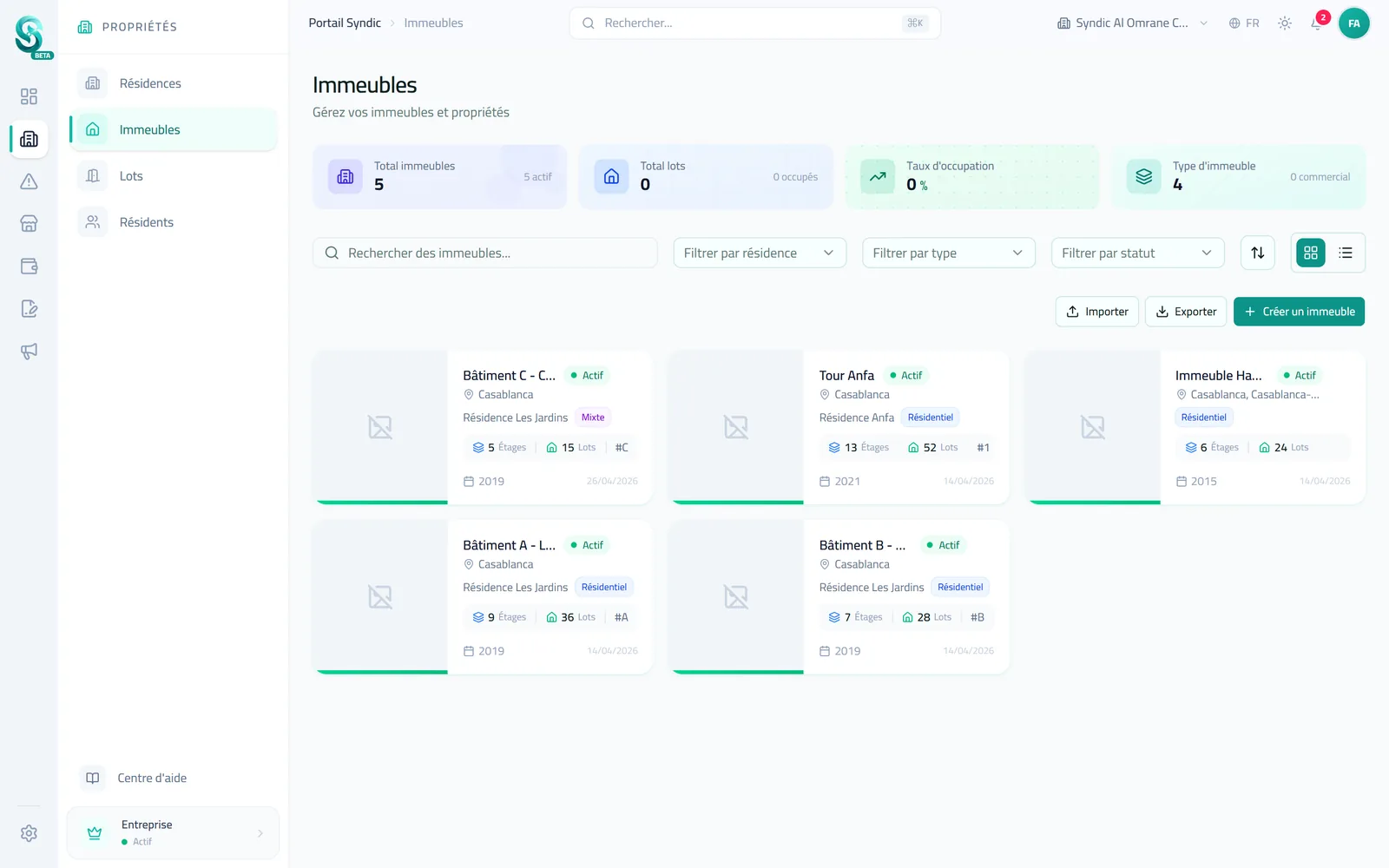
Before you follow fees, complaints or general assemblies, Syndikom needs to know what you manage. That is the job of the property section: an accurate description of your complexes, their buildings, their units and the people who live there. Once it is in place, every payment, work order and document is attached to the right place.
This article explains how these levels fit together and in which order to create them.
Five levels, from the widest to the most precise
Syndikom follows how a syndic really works:
- The organisation: your syndic and its team. Each collaborator has their own account and a role that sets what they can see and do.
- Complexes: a group of buildings managed as a whole, with its common areas.
- Buildings: each building, with its floors.
- Units: what the building is made of, such as an apartment, a shop, a parking space or a storage room.
- Residents: owners and tenants, attached to their units.
| Level | What it represents | Examples of details |
|---|---|---|
| Complex | A group of buildings | Name, address, city, total area, construction year |
| Building | One building | Name or number, number of floors, type (residential, commercial, mixed) |
| Floor | One level of a building | Number, name, common area or not |
| Unit | One unit | Number, type, area, ownership quota (tantièmes), occupancy status |
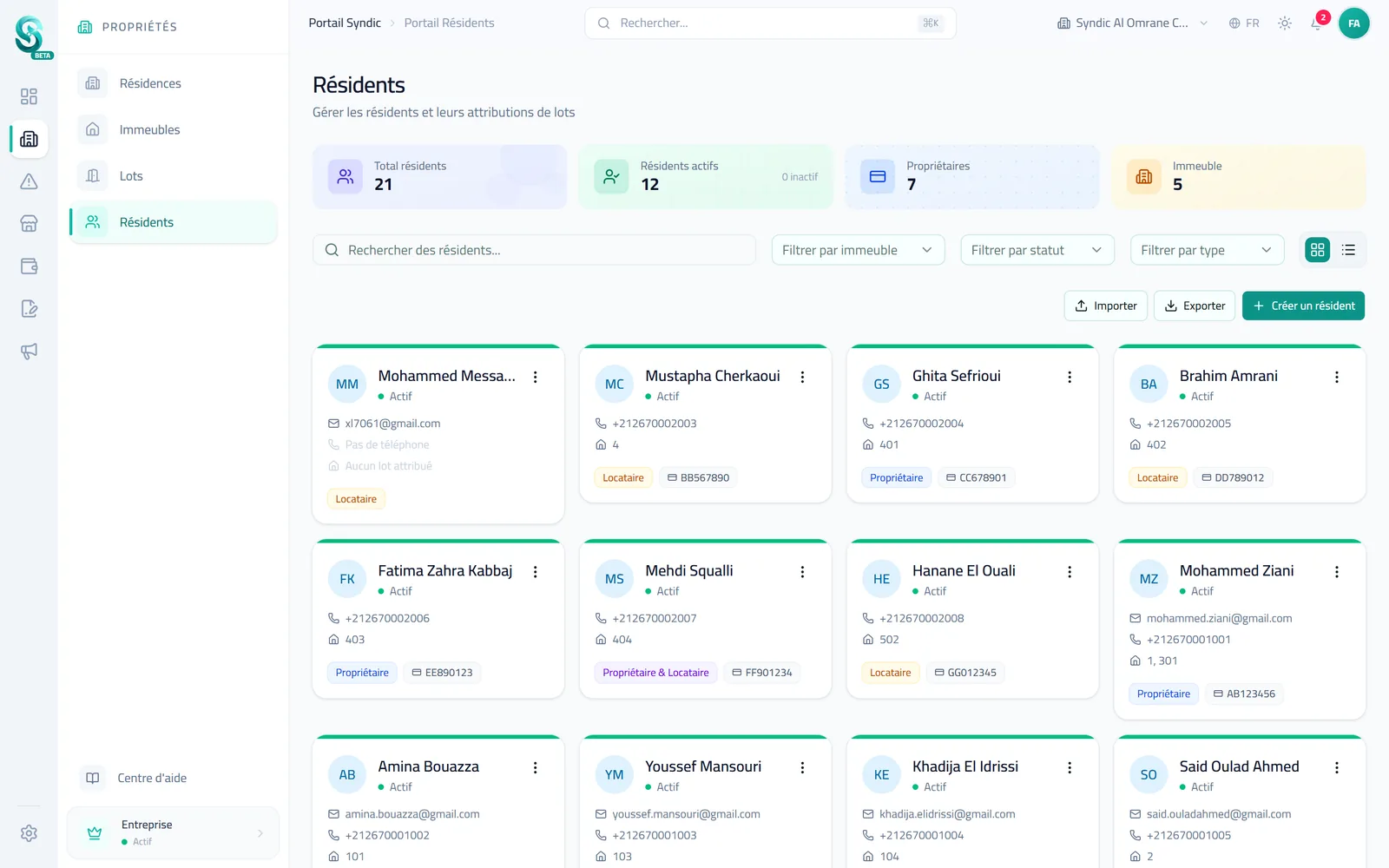
| Resident | One person | Owner, tenant or both, contact details |
In the syndic portal menu you will find these levels as Complexes, Buildings, Floors, Units and Residents.
A complex is optional
Many syndics manage stand-alone buildings. In that case there is no need to create a complex: a building can exist on its own, with its own address. Complexes are useful when several buildings share a name, an entrance, gardens or a common budget.
Units that match reality
A unit is not always an apartment. Syndikom distinguishes residential and commercial units, parking spaces, storage and other uses. For each unit you can record:
- its area in m²;
- its ownership quota, in thousandths (tantièmes, ‰);
- its status: occupied, vacant, under renovation or sold;
- the number of bedrooms and bathrooms for a home.
Attaching residents to their units
A resident is a person, not a unit. They are linked to one or more units, with a role for each: owner, tenant or occupant. That covers the usual situations:
- an owner with an apartment and a parking space;
- a rented apartment, with both its owner and its tenant;
- several people in the same home, one of them marked as the primary contact.
For a tenant, the link can also hold the move-in and move-out dates, the lease period, the rent and the deposit.
Inviting residents to their portal
When a resident has an e-mail address, you can invite them to the resident portal from their record. They receive an invitation e-mail, valid for seven days, to create their access. They then only see what concerns their own units. The resident portal depends on your plan: see the pricing section for details.
Save time with the import
If your property is already in a spreadsheet, there is no need to type it again. The import accepts Excel (XLSX, XLS) and CSV files for complexes, buildings, units and residents. You match the columns of your file to Syndikom’s fields, and a CSV template is available to download so you start on the right foot.
Where to start
The simplest order:
- create your complexes, if you have any;
- add the buildings and their floors;
- create or import the units;
- add the residents and link them to their units;
- invite them to the portal.
How many buildings and units you can manage depends on your plan. You can start for free and move to a higher plan as your property grows.